The SQL client that pounces on your data.

A fast, native macOS client for Azure SQL, SQL Server, PostgreSQL and SQLite — with an AI assistant that doesn't just write queries, it diagrams your schema and charts your results.

brew install --cask senzalldev/tap/pouncesql

Ships with a built-in demo database — open it and start querying, no server or login required.

Ask: "diagram this database"
erDiagram
  ARTISTS ||--o{ ALBUMS : "records"
  ALBUMS  ||--o{ TRACKS : "contains"
  ARTISTS { int id PK; text name; text country }
  ALBUMS  { int id PK; int artist_id FK; text title; int year }
  TRACKS  { int id PK; int album_id FK; text name; int seconds }

One client. Every database you use.

Azure SQL

Browse subscriptions, servers and databases with your az login session — no passwords stored.

SQL Server

2017–2025+, local or domain-joined. SQL login, Windows/NTLM, or passwordless Kerberos SSO.

PostgreSQL

Connect over LAN, VPN or Tailscale. Pin a whole server and browse every database it hosts.

SQLite

Open any .db file — no server, no login. Just pick the file and start querying.

Ask your data — and see it.

The built-in assistant runs read-only queries against your connection, then renders the answer. Everything below is live in your browser — the same output PounceSQL renders in the app.

Diagram the relationships in this database.

Here's the entity-relationship diagram — one artist has many albums, each album has many tracks:

erDiagram
  ARTISTS ||--o{ ALBUMS : records
  ALBUMS ||--o{ TRACKS : contains
  ALBUMS ||--o| ALBUM_SUMMARY : summarizes
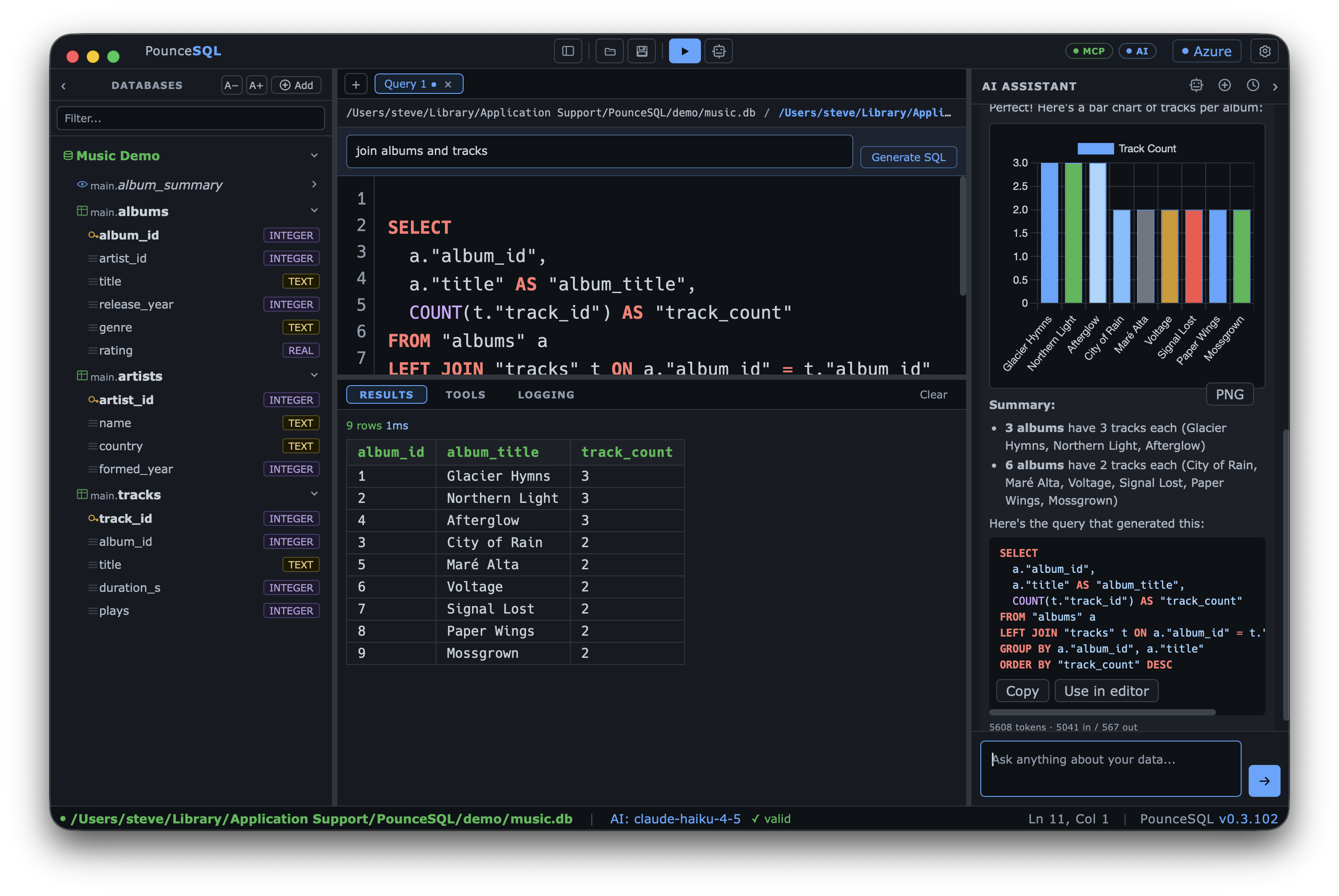
Chart the number of tracks per album.

I ran SELECT title, COUNT(*) … and charted it:

Heatmap of releases by decade and genre.

Releases per genre across decades:

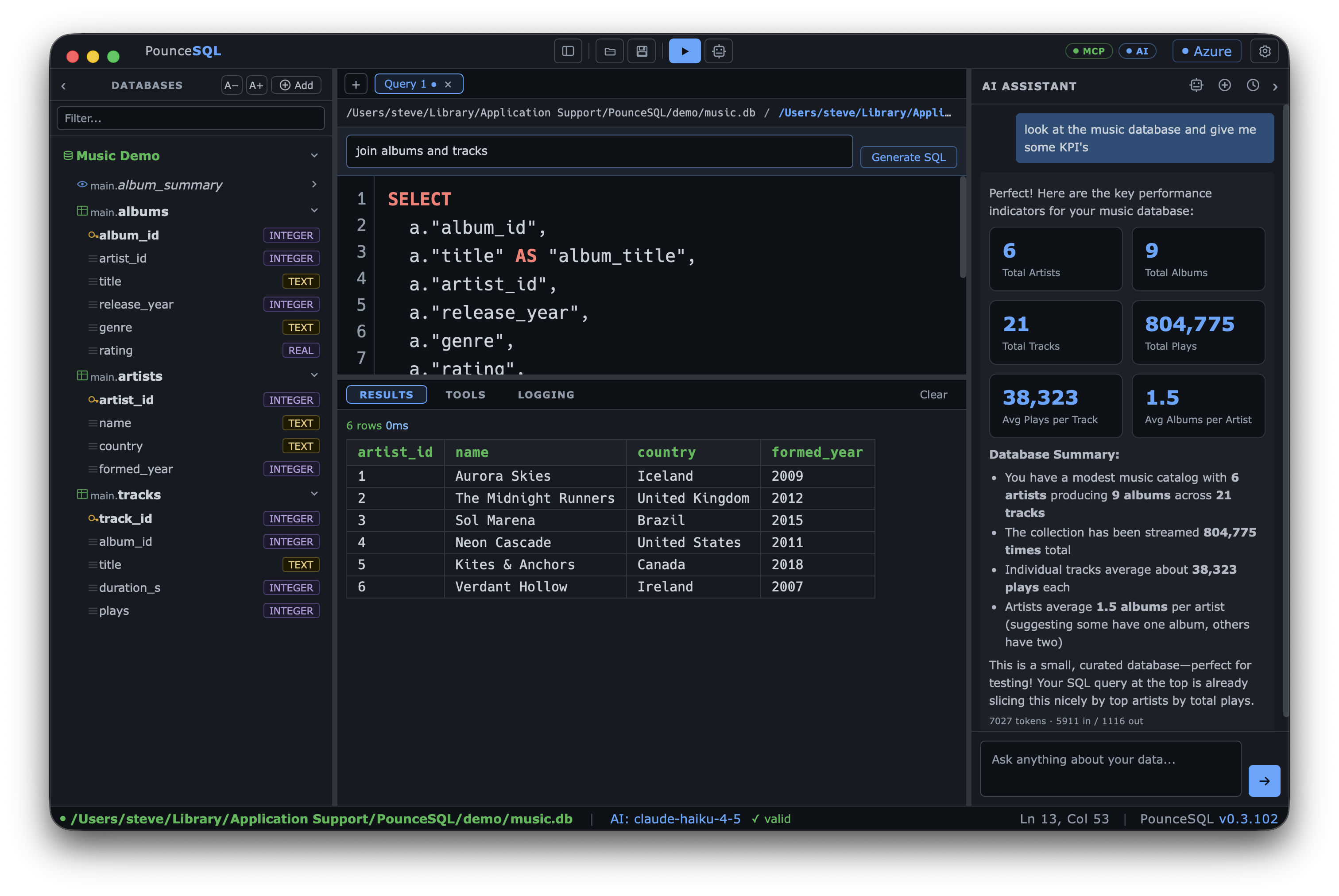
Give me the headline numbers.

Snapshot of the catalog:

6
Artists
9
Albums
+2 this yr
21
Tracks
3.4
Avg tracks/album
Top artists by track count, and explain it.

Engine-correct SQL with a one-click Use in editor, plus math in LaTeX-style notation:

SELECT ar.name, COUNT(t.id) AS tracks
FROM artists ar
JOIN albums al ON al.artist_id = ar.id
JOIN tracks t  ON t.album_id = al.id
GROUP BY ar.name
ORDER BY tracks DESC;

Also renders Markdown tables, code, and LaTeX (e.g. window functions).

Diagrams use Mermaid, charts use Chart.js — both rendered inside the app, sanitized, and exportable as PNG.

Bring any model. Keep your data where you want it.

Pick a provider per your policy — cloud, enterprise gateway, or fully local — and switch models from a dropdown right in the chat header. Each provider remembers its own endpoint, model and key.

OpenAI & Anthropic

Direct API key. Native tool-calling for both — GPT and Claude can inspect your schema and run read-only queries. Choose Sonnet, Haiku, Opus, GPT-4o and more.

Ollama / local & LAN private

Point at http://host:11434 (localhost, LAN, or Tailscale). Your data never leaves your machine — ideal for sensitive/PHI work. Load the model list from the server.

Enterprise AI gateway BYO

OAuth2 gateways with a discovery endpoint. PounceSQL routes each model by its native format (OpenAI or Anthropic), shows cost per model, and a PHI-cleared badge from discovery.

Quick model switcherPick any configured model — cloud, gateway or local — from the chat header. The status bar shows the active model live.
PHI clearanceFor gateway models, a PHI OK/NO PHI pill tells you at a glance whether a model may handle protected data.
Usage & spendPer-message token counts, plus session totals, top model and estimated spend on the About page.
Read-only by defaultThe assistant and MCP tools never write unless you explicitly enable it.

Built for people who live in SQL.

Browse the whole server

Pin a server, expand it like a tree — every database, schema, table and column. Filter across databases; right-click to preview, count, or generate a query.

An editor that knows your dialect

Syntax highlighting, table/column-aware autocomplete and a live syntax checker, tuned to the connected engine (T-SQL, Postgres, SQLite). Run the whole editor or just the selection.

Rich answers

Full Markdown, syntax-highlighted code with Copy / Use-in-editor, Mermaid diagrams, Chart.js charts, heatmaps, KPI cards, sortable result grids with CSV/JSON export, and LaTeX.

Chat history

Your last 50 conversations are saved automatically — browse, reload, delete, export a chat as Markdown, or save any diagram/chart as PNG.

An MCP server, built in

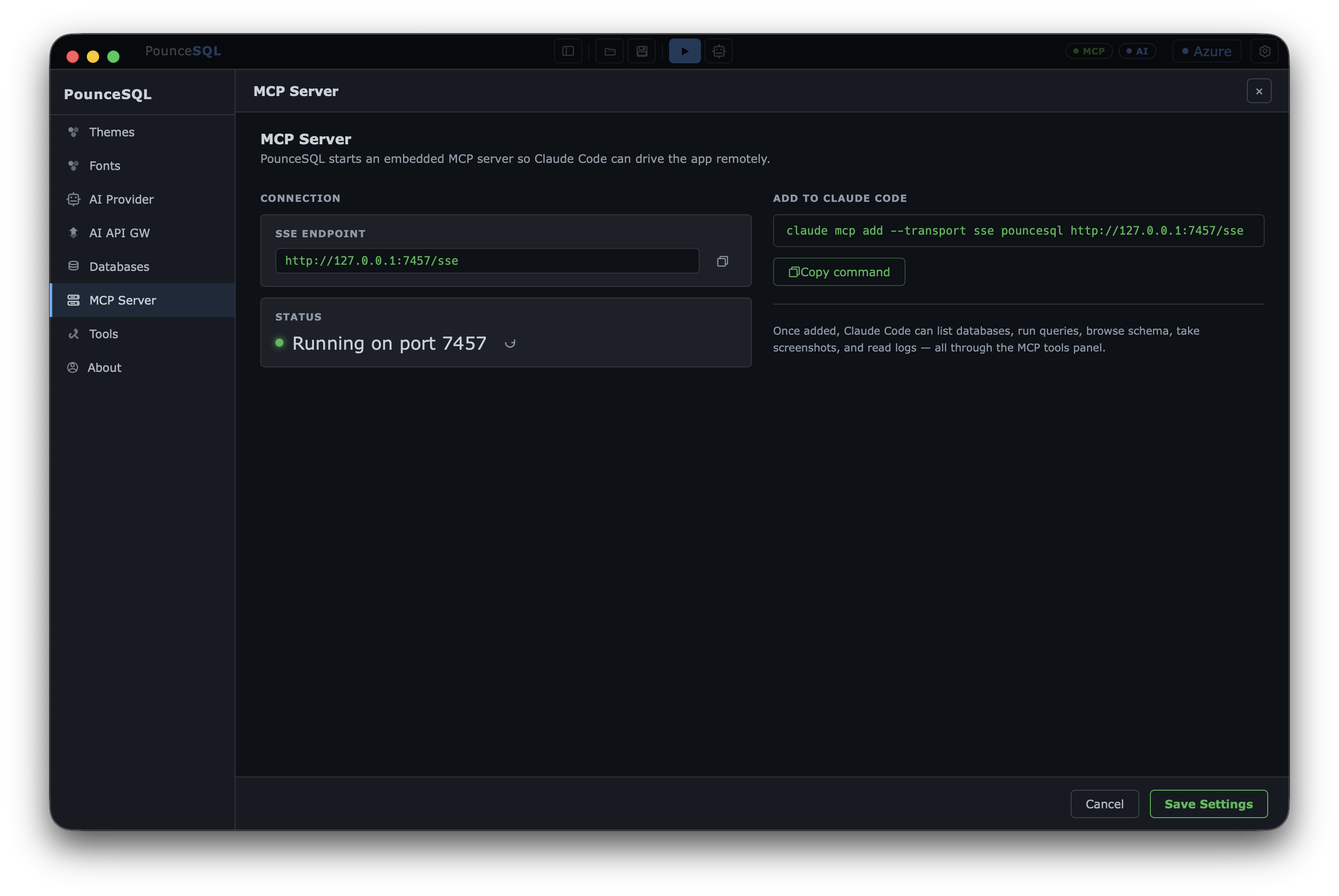
A local Model Context Protocol server lets Claude Code and other agents drive PounceSQL — list databases, run queries, configure the AI — and you watch it happen live.

Make it yours

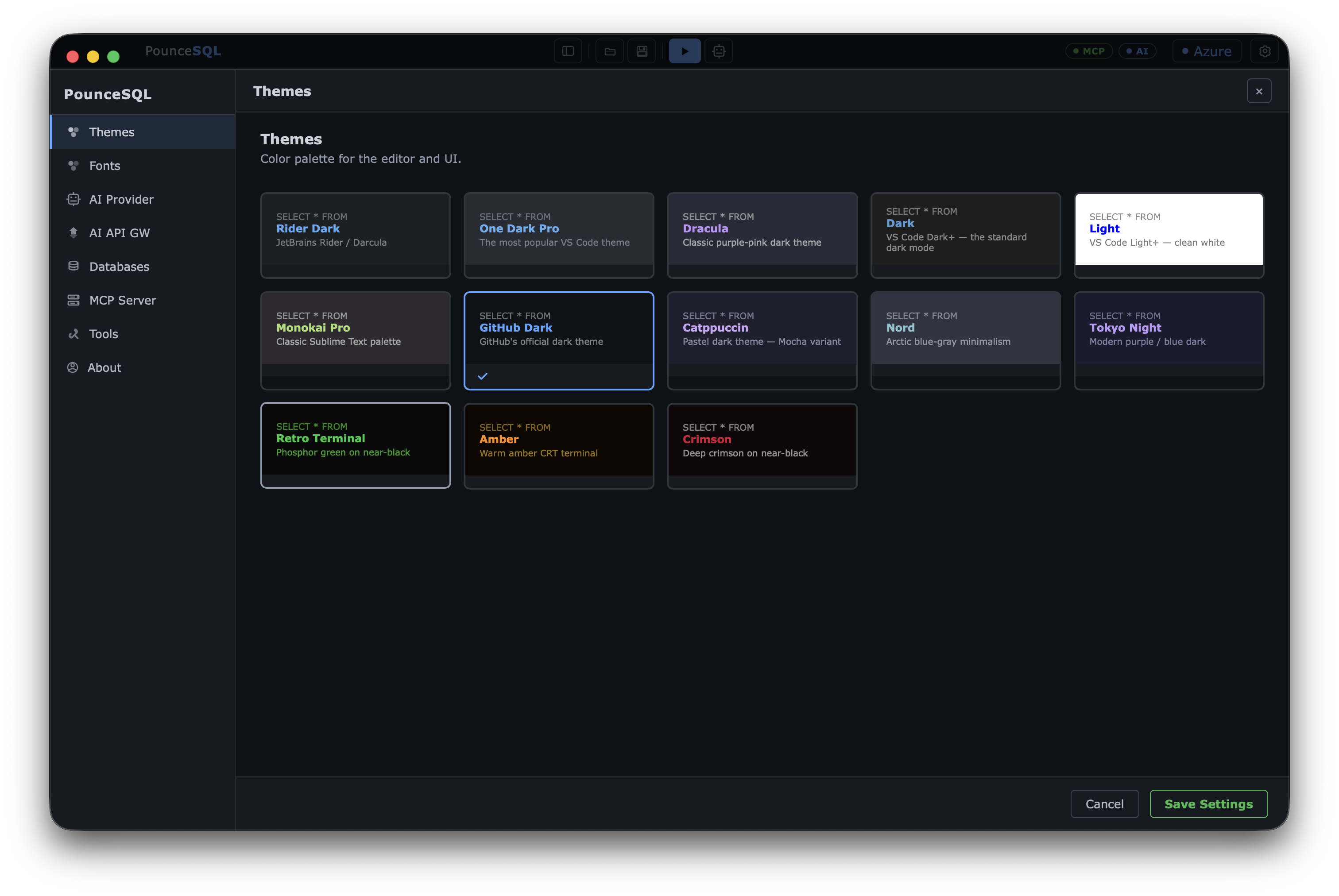
A dozen editor themes, separate fonts for interface and editor, independent size control for editor, tree, results and status bar, and a collapsible sidebar for more room.

Download PounceSQL

Free, native, and notarized for macOS 13+ (Apple Silicon).

Homebrew

brew install --cask senzalldev/tap/pouncesql

Recommended — updates with brew upgrade.

Direct download

Latest release (.dmg)

Open the DMG and drag PounceSQL to Applications.

Requires the Azure CLI for Azure SQL (brew install azure-cli, then az login).

⚠ Under active development, provided “as is” without warranty. Please test against a non-production database before using it against anything you care about. The AI assistant and MCP tools are read-only by default.